- NOExtra attempt, to start over from scratch?
- YESAdditional time beyond the time limit?
- YESDid the student already start the quiz?
- YESIs the attempt currently in progress?
Your answer
Extend time on the attempt in progress
Action steps
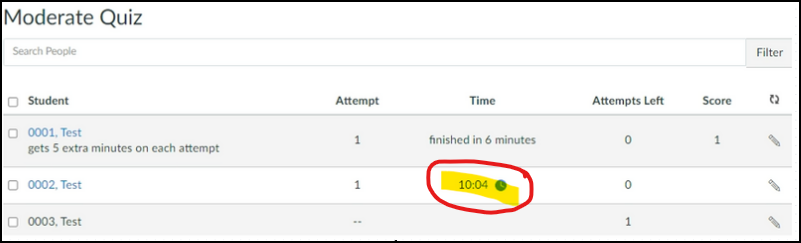
- Click “Moderate This Quiz”.
- Click the blue clock icon in the column labeled “Time”.
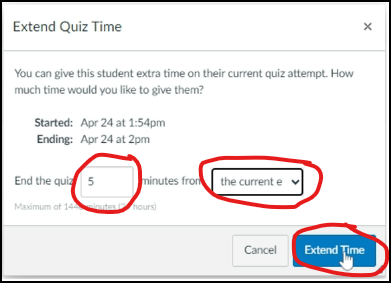
- In the “Extend Quiz Time” window, end the quiz [##] minutes from the current end time (or from now).
- Click “Extend Time” to save your changes.
That’s it! You’re done!
Questions about this tool? Email samberg@gsb.columbia.edu.