- YESExtra attempt, to start over from scratch?
- NOAccess the extra attempt immediately?
- YESAdditional time beyond the time limit?
Your answer
Scheduled extra attempt, with extra time
Action steps
- Edit the Quiz.
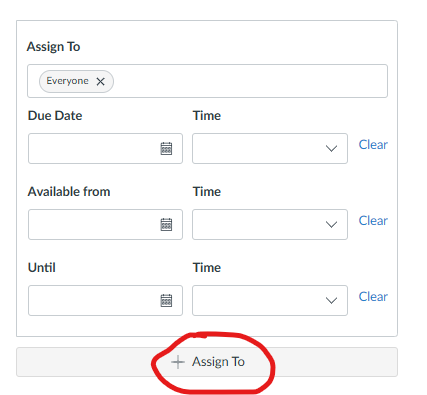
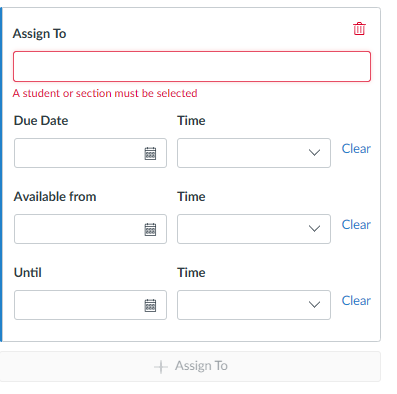
- “Assign To” the individual student with specific Due Date, Available From, and Until times.
- Click “Moderate This Quiz”.
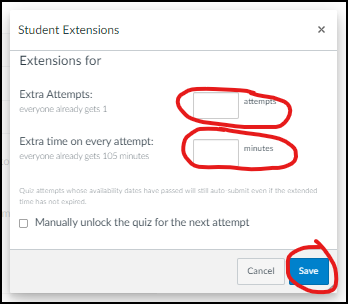
- Click “Student Extensions” (pencil icon).
- Add the number of extra attempts.
- Add extra time on every attempt (doesn’t apply to attempts already in progress).
This means the student starts over from scratch with the full time limit plus the extra time.
Questions about this tool? Email samberg@gsb.columbia.edu.